The Encore Click: Making Your Bio Page Work After the Checkout
Most bio-link advice is obsessed with the first click. Make the link pop. Trim the page. Test the thumb zone. Then hope the algorithm sends a wave of strangers who are ready to buy. That work matters, but it ignores a much warmer audience: the people who already trusted you enough to pull out a card.
Those buyers are not strangers. They just need a reason to come back. The second tap is where loyalty gets built, repeat revenue hides, and your bio page stops acting like a business card and starts acting like a relationship. The trick is giving those buyers a clean path without turning your main page into a cluttered directory.
The first click gets the applause. The second click pays the bills.
A new visitor needs orientation: who you are, what you sell, and where to go next. A buyer needs something different. They need order help, product care, a reason to reorder, and a low-pressure way to stay close. Mixing those two jobs on one page usually means neither gets done well.
That is why the repeat path should live behind a quiet door. Your main InstaBio page can stay focused on discovery. A separate post-purchase page, linked from receipts and thank-you screens, can handle the people who already know you. Same brand, different room.
Buyer traffic is already sitting in places you control
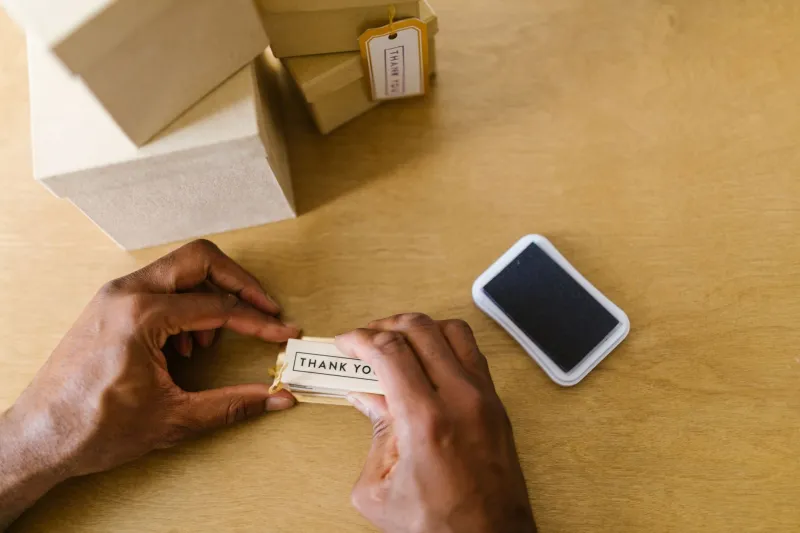
You do not need a new ad campaign to reach past customers. You need to look at the moments they already have with you: the order confirmation email, the receipt, the thank-you page after checkout, the shipping notification, and the card tucked into the box.
Most creators treat those as paperwork. They are actually a private hallway back to your bio page. A buyer who just spent money is unusually open to a helpful next step. They are not scrolling past you in a feed. They are looking for a tracking link, a setup guide, or reassurance that they picked the right thing. Meet them there.
Build a back door, not another front door
The simplest version is a dedicated link path such as yourname/after or yourname/customers. Put that URL in post-purchase emails and on the receipt. On the page, write for buyers first: Already ordered? Start here. Then give them four or five useful choices, not twenty.
A good post-purchase page might include track your order, care and setup instructions, reorder favorites, share or refer a friend, and join a low-volume VIP list. If you sell digital products, swap tracking for access help. If you sell services, swap shipping for scheduling. The page should feel like a concierge, not a catalog.
You can still make this path visible on your main bio page, but keep it small. A single text link near the bottom that says Already bought? Your next steps are here is enough. Do not give it equal billing with your primary offer. The first-time visitor should not have to sort through customer-service links before they understand what you do.
Receipt QR codes should feel like a thank-you, not a flyer
A QR code on a receipt or package insert can work, but only if the destination is worth the scan. A code that opens another sales pitch feels like junk mail with extra steps. A code that opens a page with setup help, care tips, and a genuine thank-you feels useful.
Keep the label short and specific: Scan for setup tips and your reorder link. Or: Ordered already? Scan for care instructions and a thank-you gift. Track the scans. If you use a dynamic QR code, you can change the destination later without reprinting. Also test the code at arm's length, in poor light, on an older phone. A QR code that only works in perfect conditions is not a strategy.
The thank-you page is a bio page in disguise
After checkout, most stores say thanks and send the buyer on their way. That is a wasted handoff. Add one clear button: Get the most from your order. Send it to your post-purchase bio page. This is not the place for a hard upsell. It is the place to reduce support questions, explain how to use the product, and invite a repeat visit when the timing is right.
If you use InstaBio, treat this page as a cousin of your main bio page. Keep the visual language consistent, but change the copy. Buyers do not need your origin story again. They need to know where their order is, how to use what they bought, and what to do next.
A quick 2026 holiday-season audit for US creators
With Thanksgiving on November 26 and Black Friday on November 27, 2026, the busiest buyer window of the year is close. Before the carrier cutoff dates arrive, run a simple audit.
- List every buyer touchpoint you will send between now and mid-December: receipt, thank-you page, shipping email, delivery email, and package insert.
- Pick one destination for all of them: a single post-purchase page, not five different links.
- Cut the page to five choices or fewer. Order tracking, care or setup, reorder, referral, and VIP signup are usually enough.
- Write the first line for a buyer, not a browser. Already ordered? Welcome back beats Welcome to my page.
- Add one holiday-specific detail if it applies: gift receipt info, an extended return window, or a reorder deadline for arrival by December 25.
- Test the full path on mobile. Scan the QR code, tap the link, and check that the page loads fast on a phone at a kitchen table.
- Turn on click tracking and compare scans or clicks against repeat orders and support emails over the next few weeks.
Keep the front porch clean
The second tap does not need to be loud. It needs to be findable at the exact moment a buyer is looking. Your main bio page should still be a clean front porch for new visitors. The post-purchase page can be the side entrance with better lighting.
That is the balance: one page for the hello, another for the thank-you. When those two jobs stop competing, buyers get a better experience and you get something more valuable than another one-time sale. You get a reason for them to come back.